This video demonstrates how to complete your CARET Pay application.
1. Introduction To Application
To begin, anyone with access to Firm Settings can start the application.
2. Accessing CARET Pay Integration
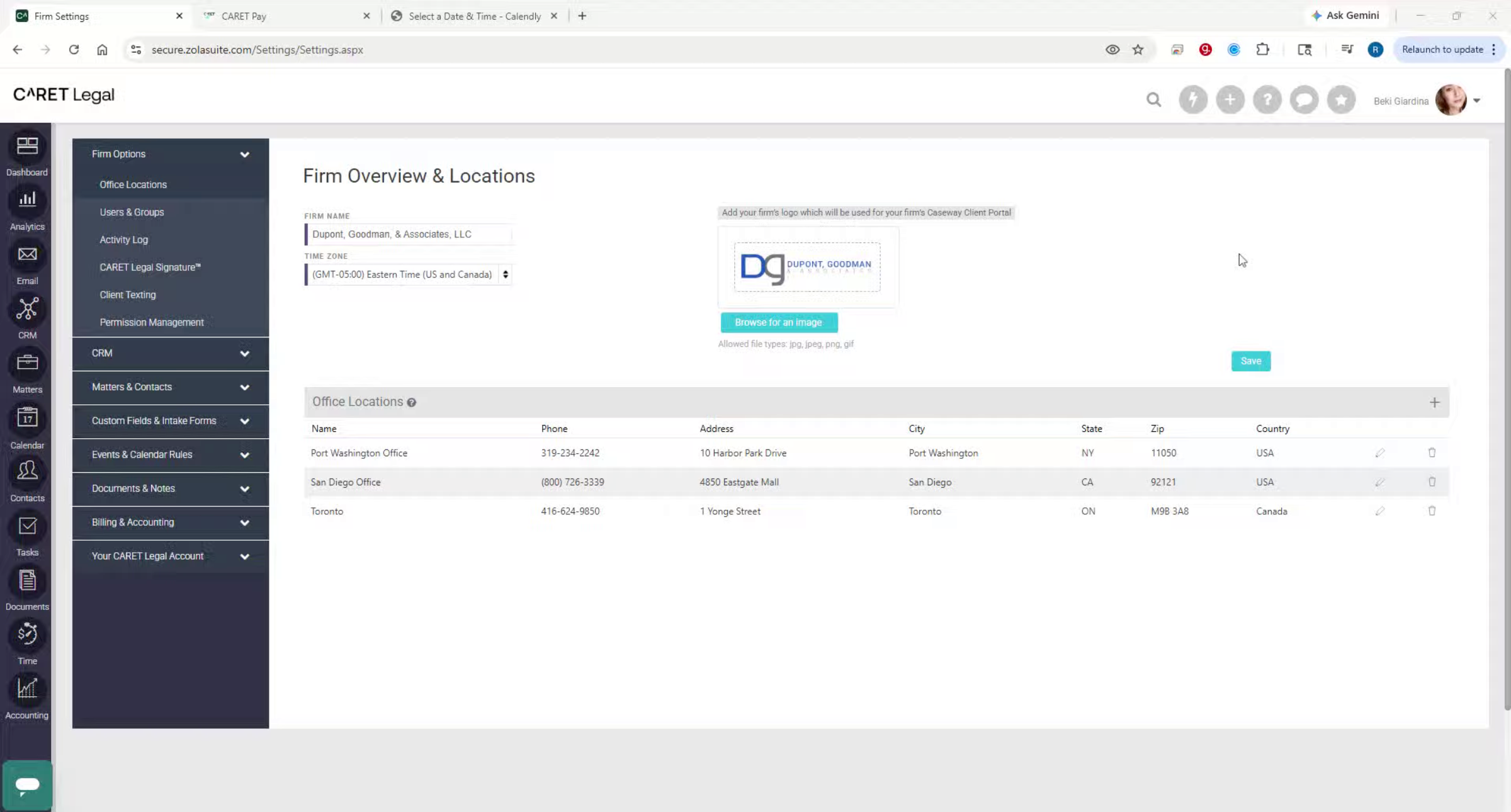
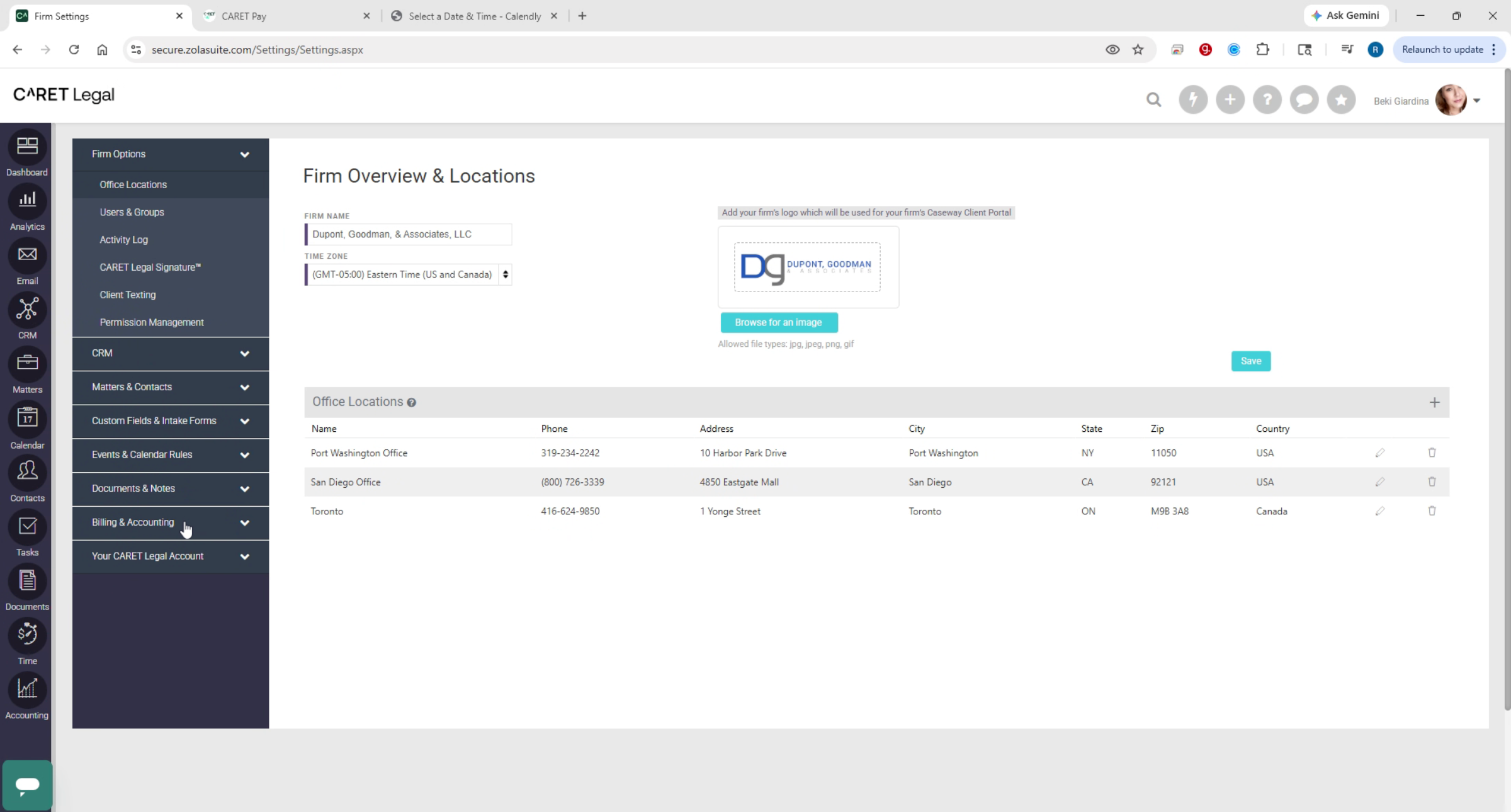
From Firm Settings, expand the Billing and Accounting section and select CARET Pay Integration. Starting the application will open a separate browser tab to complete the signup process.
3. Business Information Entry
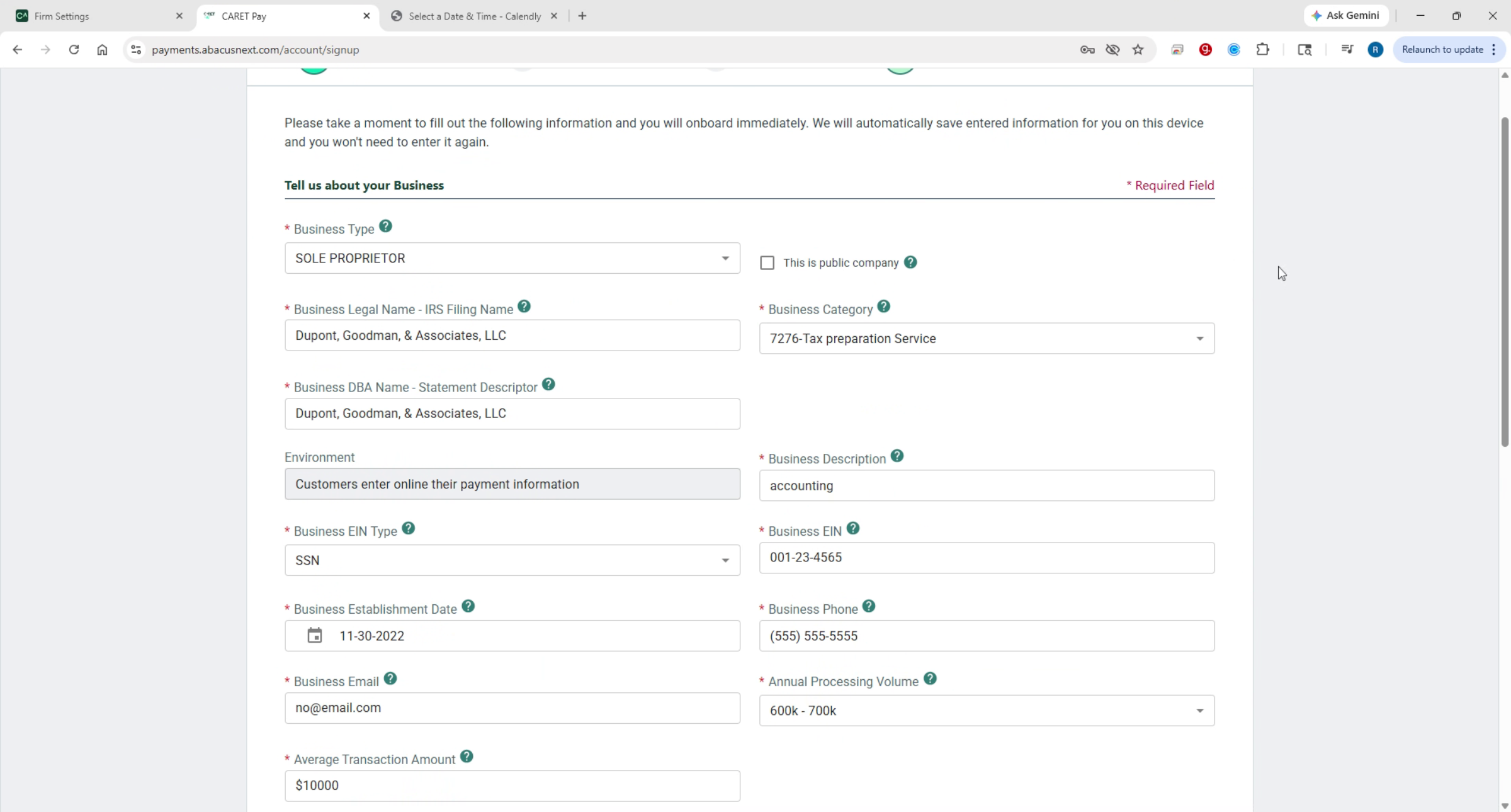
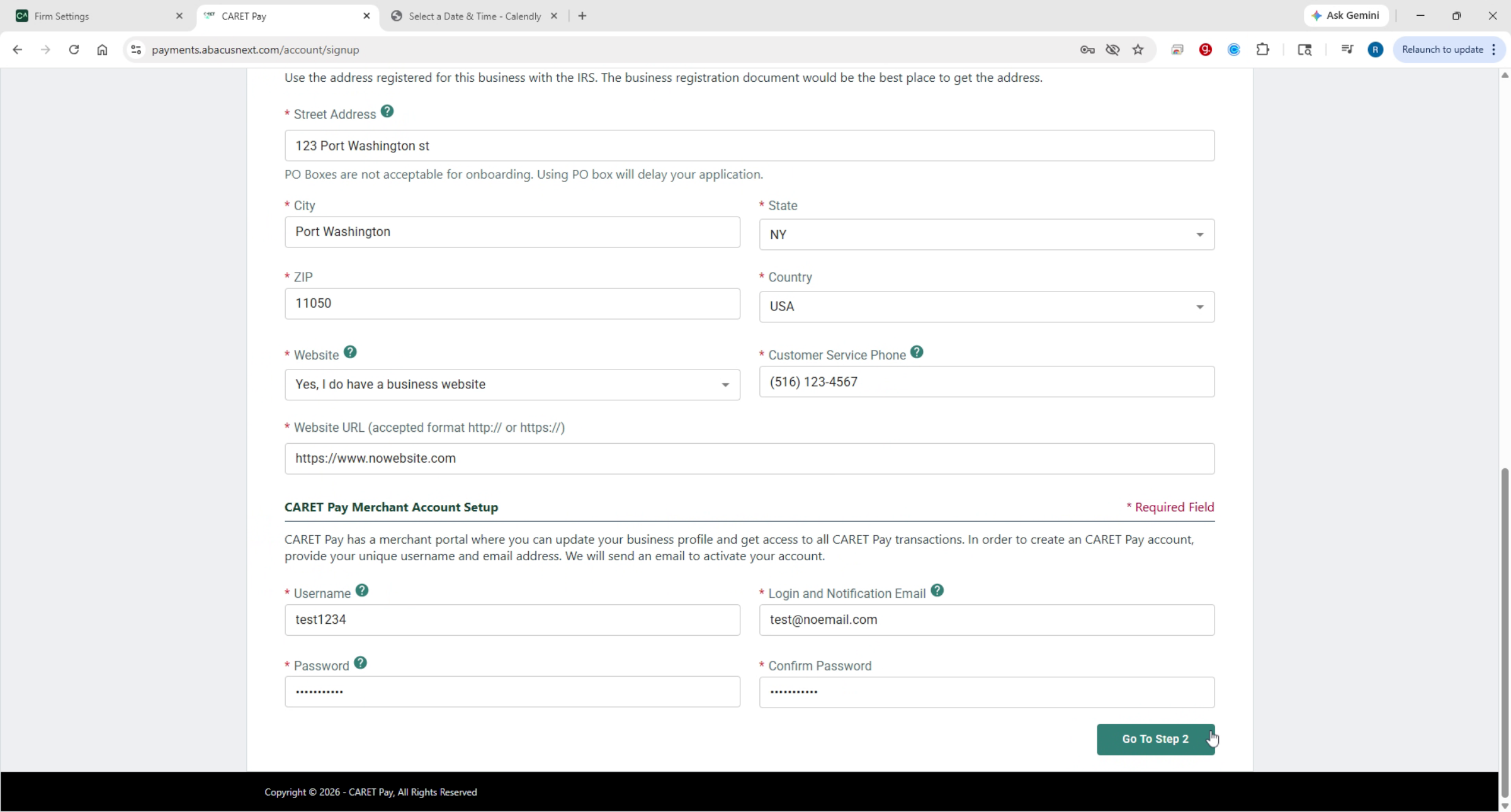
Step one is business. information, enter your business legal name and DBA and select the correct EIN type and enter the associated number. Use a physical business address, P.O. Box may delay processing. At the bottom of this step, create a username and password for your CARET Pay back office portal. Note these credentials down for future access.
4. Ownership Details Submission
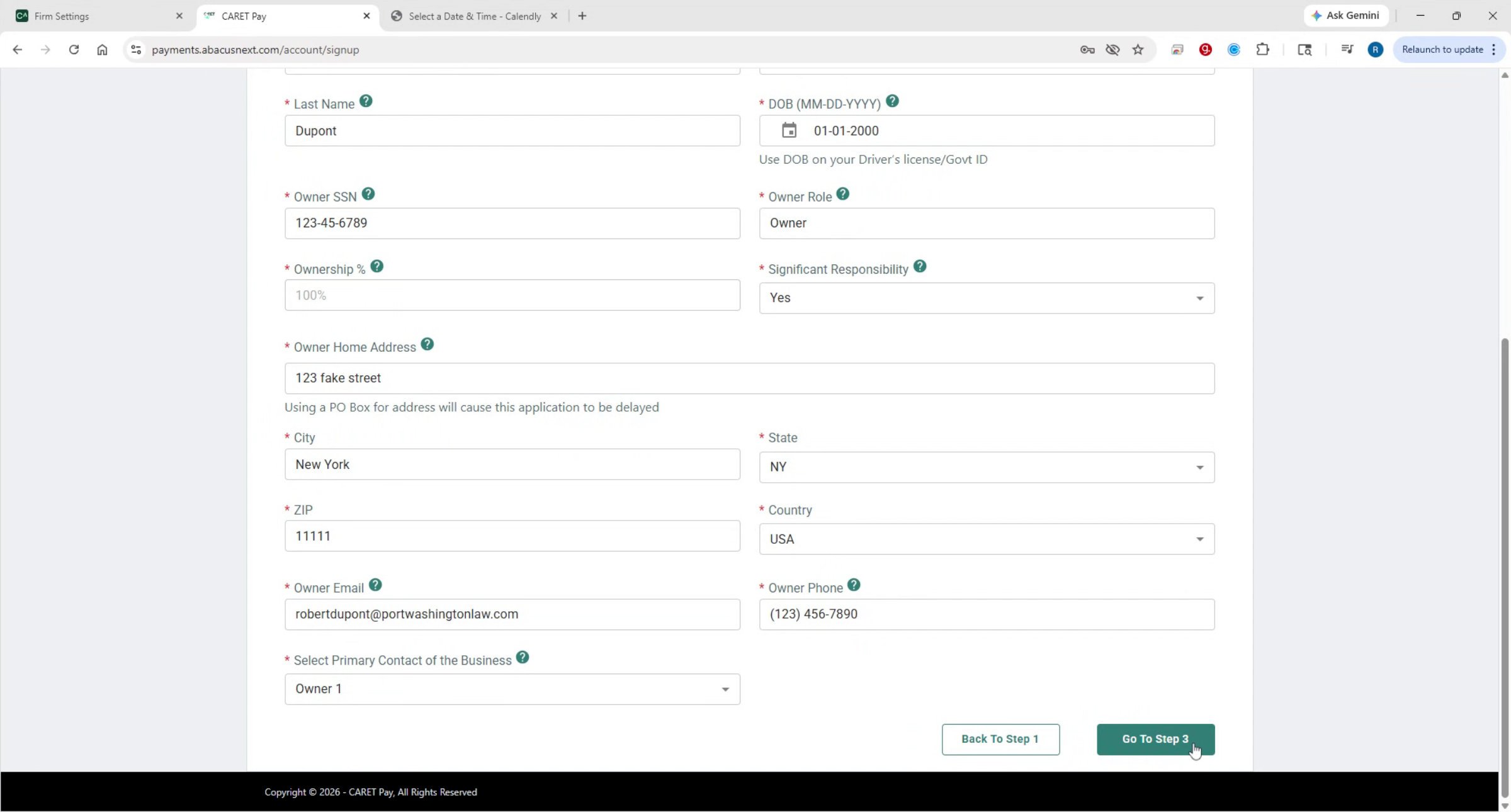
Step 2 is ownership. List all individuals who directly or indirectly own 25% or more of the business.
5. Bank Account Information
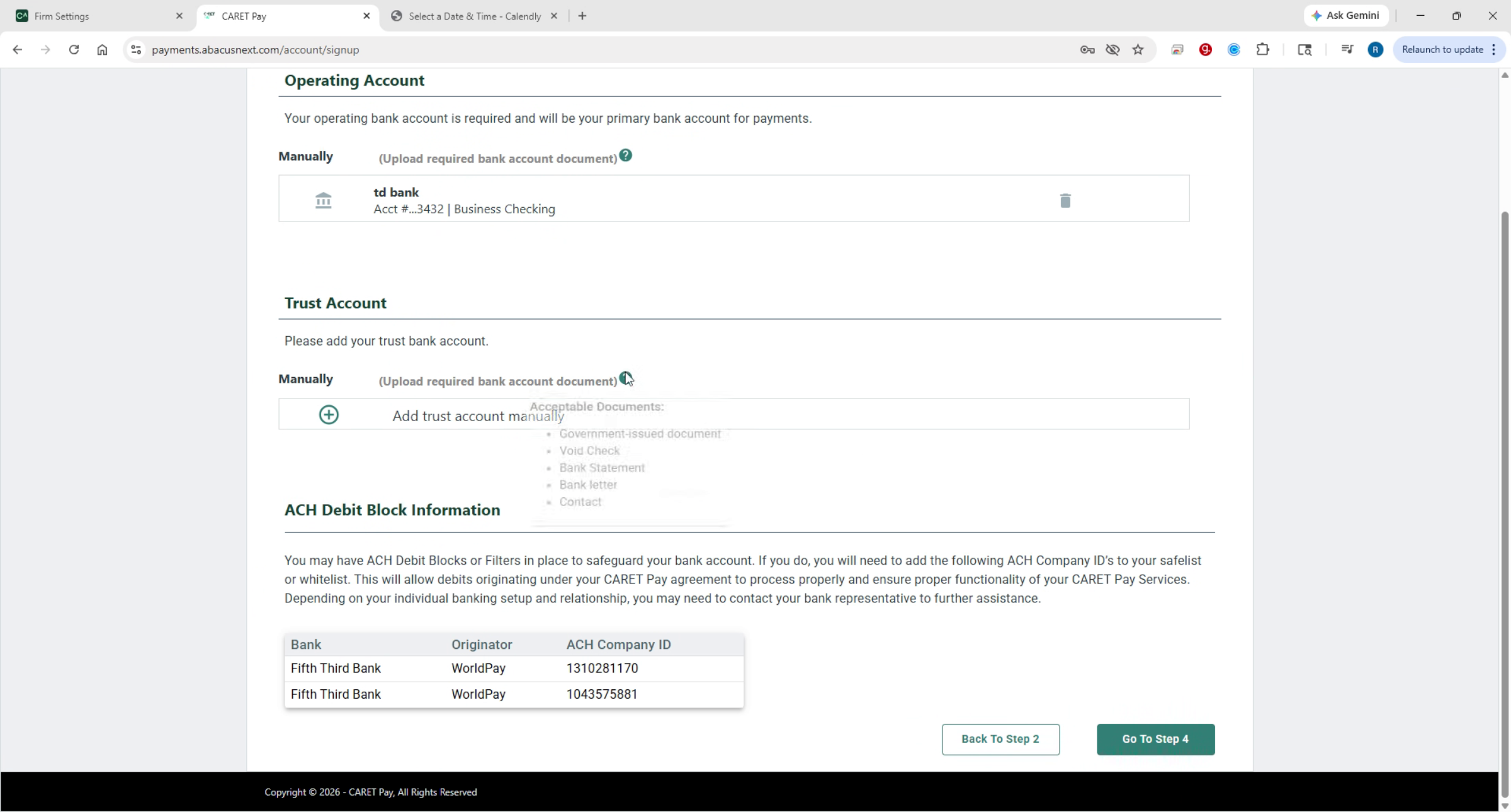
Step 3 is your bank account information. Enter and validate your bank account details. Hover over the question mark icons for guidance on acceptable documents to upload.
6. Review And Attest
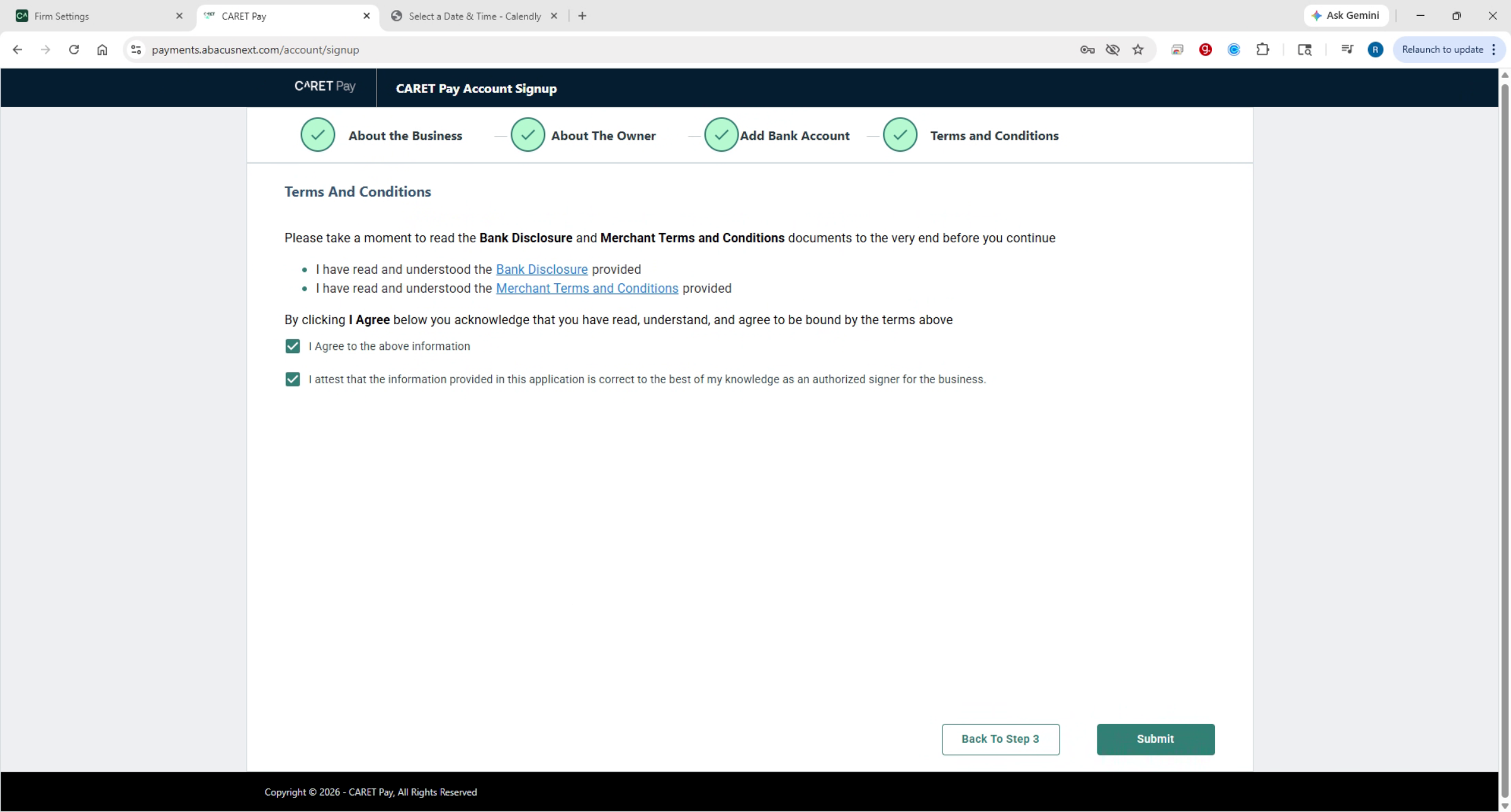
Step 4 is Review and Attest. Open, read and scroll to the bottom of the Bank Disclosure and Merchant Terms and Conditions. Then select I Agree to confirm that the information provided is accurate. Click Submit in the bottom right corner. Additional documentation may be required to complete your application.
7. Post-Approval Training Setup
The last and final note is after approval, you will be prompted to schedule training for CARET Pay. Use the link provided at the end of your application, select CARET Pay, then CARET Legal, CARET Pay to book your session with a trainer.
This concludes the demonstration of how to complete your CARET Pay application.